
Ford’s Pro Trailer Backup Assist™
Ford’s Pro Trailer Backup Assist™. What is it?
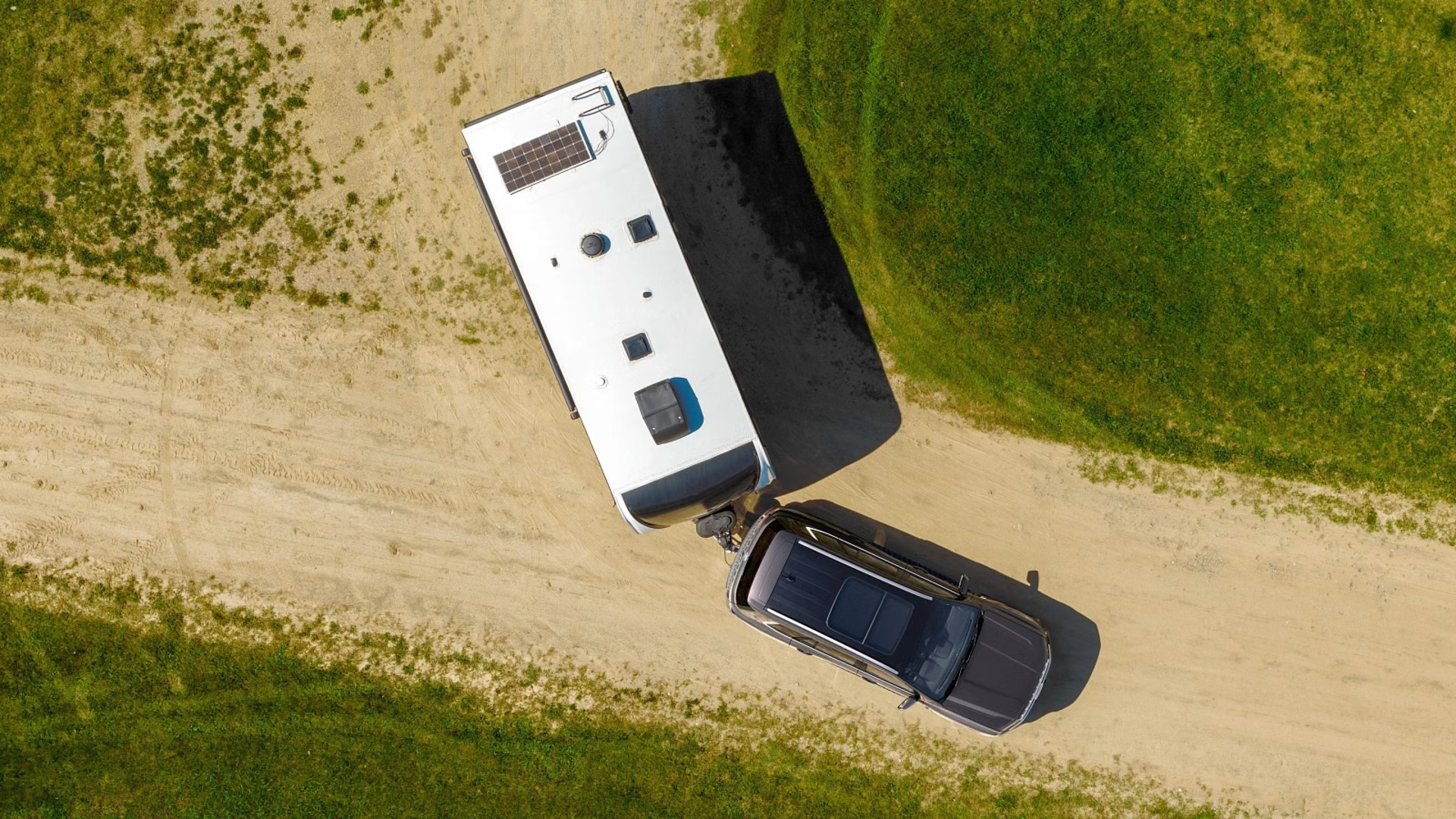
In simple terms it takes the guess work on how to reverse a trailer. But it is so much more. From that tight caravan spot to the perfect right hand turn down the boat ramp and reversing in a straight line. Ford’s Pro Trailer Backup Assist™ is a game changer when it comes to reversing your trailer and makes anyone a Pro regardless of their experience.
It was first released to new Ford Everest and Ranger Models in 2024 and acts very similar to Ford’s Pro Trailer Backup Assist™ in the F-150 and Ranger Super Duty but with one key difference. It uses a sticker (Fig 1) rather than the Trailer sensor kit (Fig 2).

Fig1
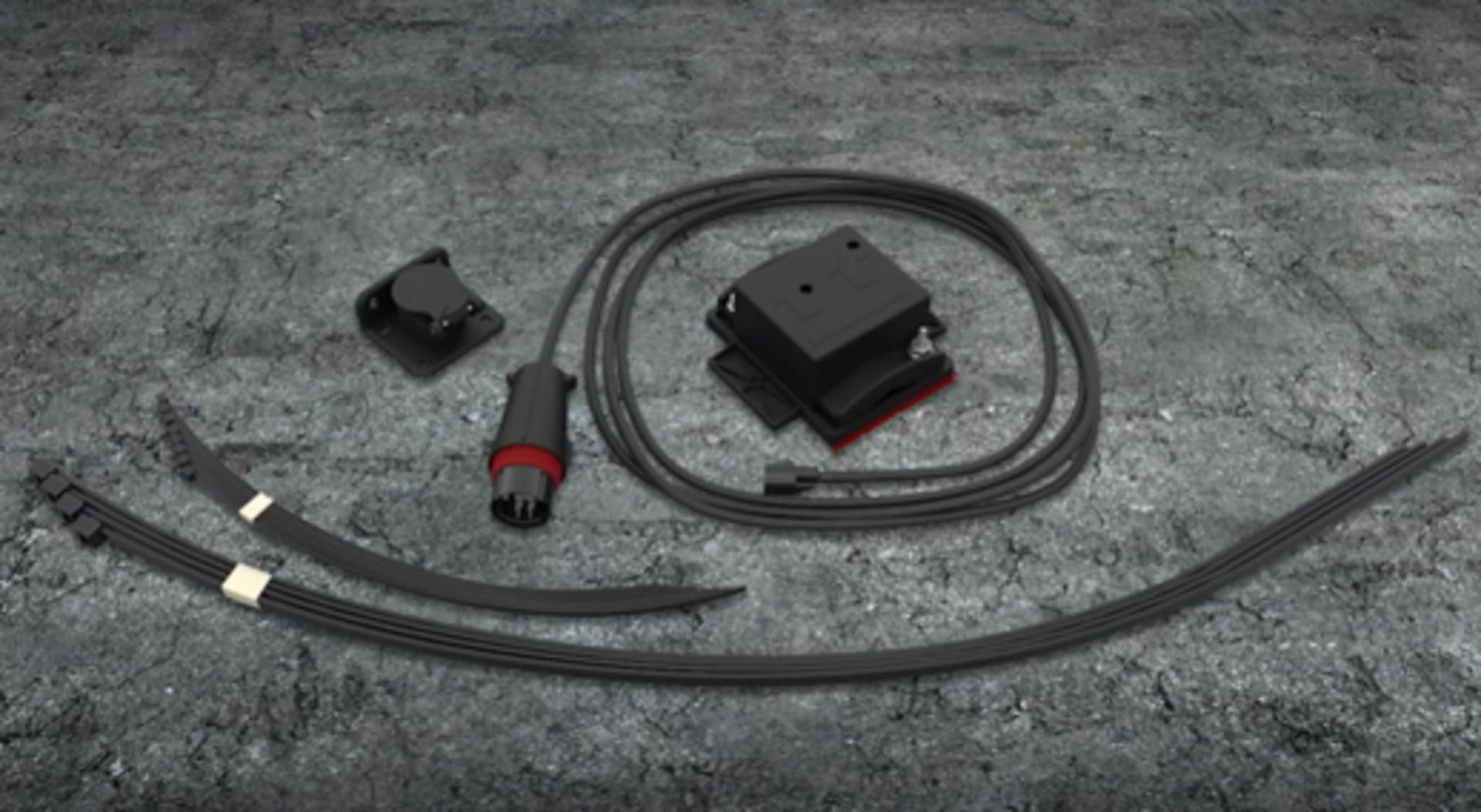
Fig 2
How to use it?
The Sticker based Ford’s Pro Trailer Backup Assist™ uses the camera’s located around the vehicle including mirrors to calibrate where the trailer is located. First off you press the Pro Trailer Backup Assist button in the centre console where you can select what drive modes you are in. From there select your trailer profile on the infotainment touch screen. Put the Everest or Ranger in reverse, remove your hands from the steering wheel, use the dial in the centre console that you use to select drive modes to steer the trailer left or right, (Fig3)
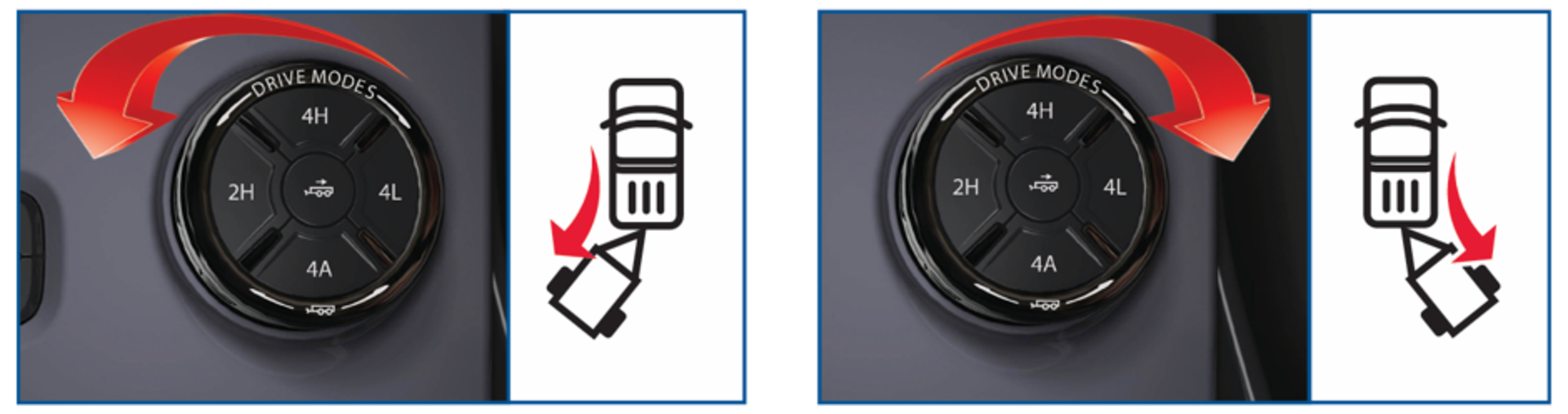
Fig 3
When using Ford’s Pro Trailer Backup Assist™, the system will automatically limit your vehicle’s speed to a maximum of 5 ± 2km/h. Ford have also provided a handy little diagram that displays on the infotainment screen called The Hitch Angle Graphic This is to help prevent a jack-knife incident. If you want the trailer to have a sharper turn. Turn the dial further in the direction you want to go. As you turn the dial you can see two zones. Yellow and Red. (Fig 4)
Yellow is a warning that alerts you to a potential Jack-knife incident.
Red means you need to stop and pull forward immediately.
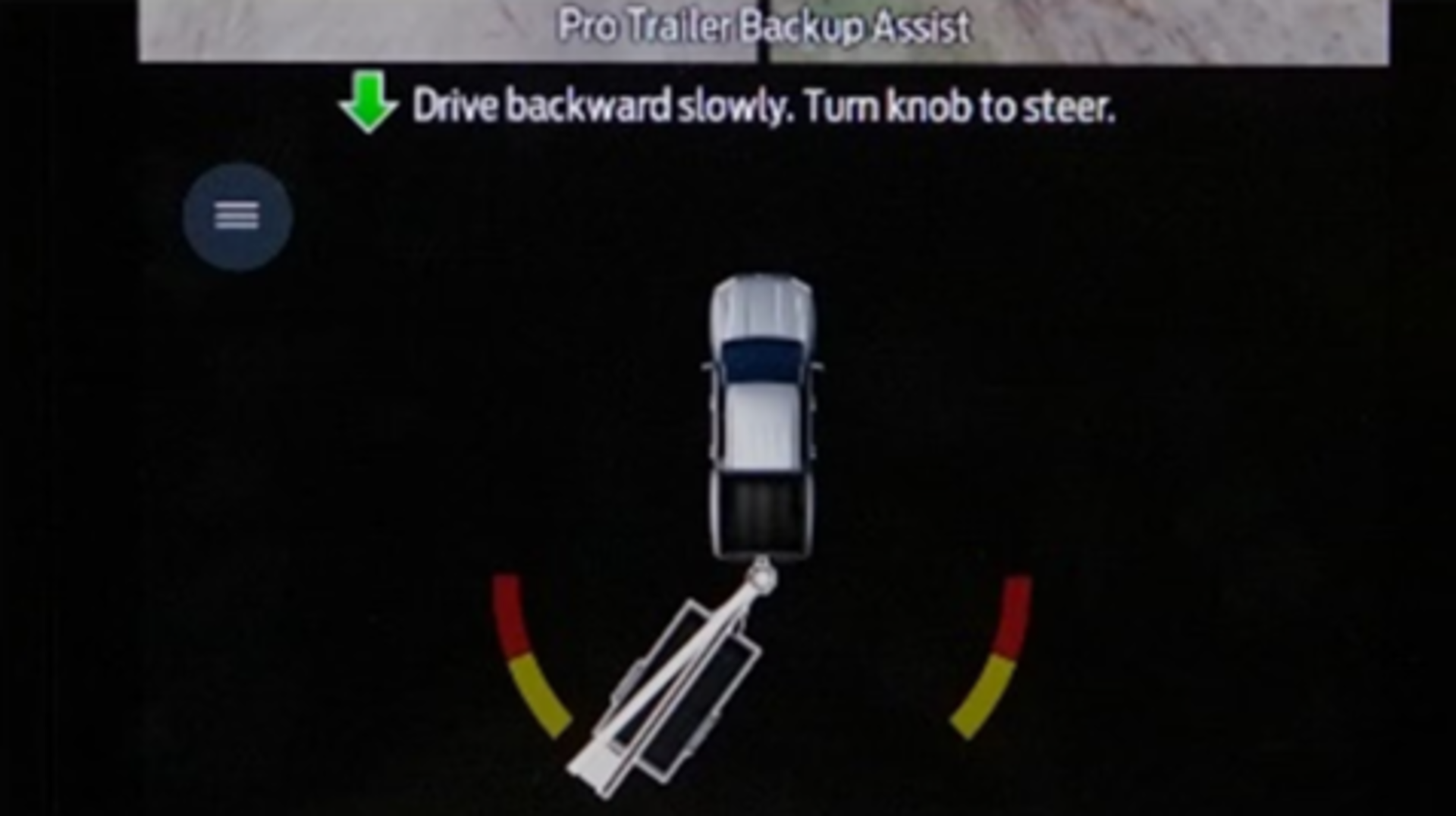
Fig 4
Do I have to use Ford’s Pro Trailer Backup Assist™?
No you don’t need to use it. I find some customers prefer the old fashion way. Turning right to get it to go left or having your hands at the bottom of the steering wheel and reversing their trailer that way. Ford designed this to give their customers more options and confidence in towing with their new vehicle.
Can I still reverse without needing to use the dial?
Yes, you can. If you’d prefer to guide the trailer yourself or just want to confirm its going straight Ford has thought of this as well. To activate this all you need to do is:
• Put your vehicle in reverse.
• Select Trailer Reverse Guidance icon on the touch screen,
•
The Hitch Angle Graphic will appear with auto
panning mode camera view as the default display
(Fig 5)
• Now you are free to reverse and steer your trailer
Just like in Pro Trailer Backup Assist the Hitch Angle Graphic will appear and inform you where your trailer sits in relation to your vehicle.
If you want to stay in a straight line all you need to do is
• Press the camera view drop down menu from the touchscreen.
• Select Straight Backup Mode

Fig 5
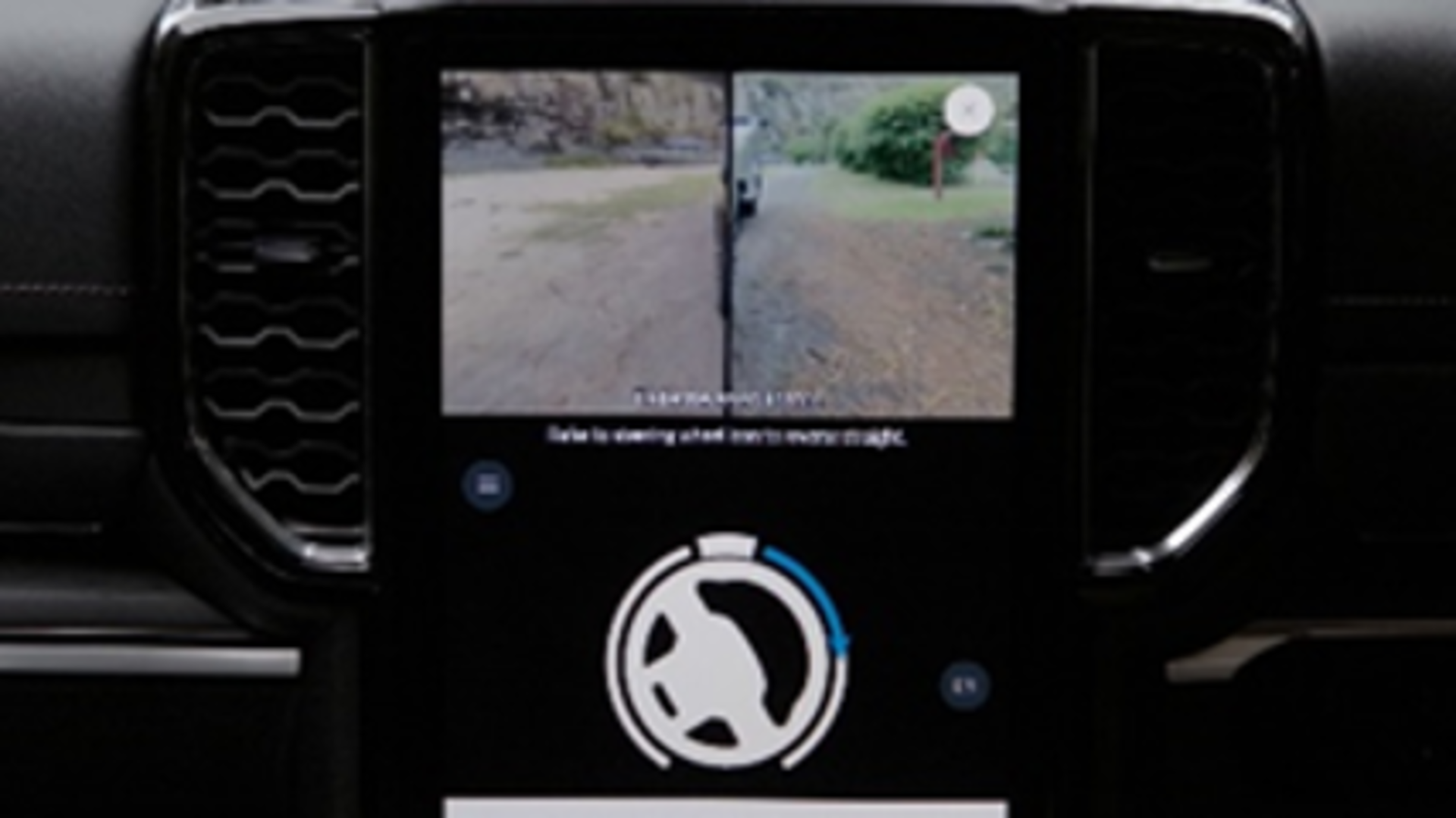
Fig 6
Now you can start reversing. If the trailer starts to turn left or right. A steering wheel will be on the infotainment screen, and a blue arrow will appear and direct you what way you need to turn the steering wheel. (Fig 6)
How do I set Ford’s Pro Trailer Backup Assist™ up?
You set it up in 5 simple steps.
1. Set up your trailer profile in trailer section on the infotainment screen
2. Press the Trailer Back Up Assist button located in the middle of the dial of the centre console.
3. Select your trailer you want to assign. (Fig 8)
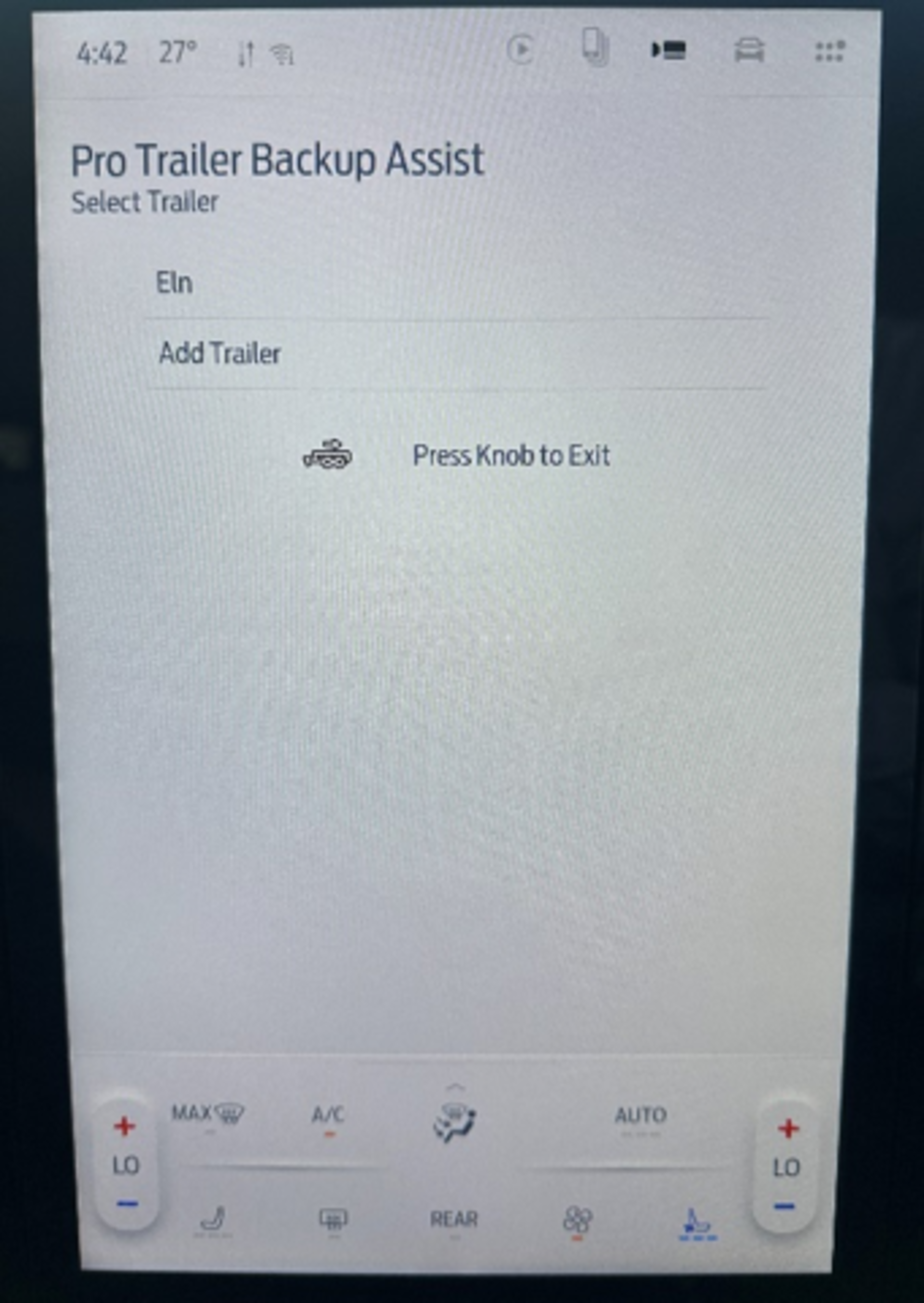
Fig 8
4. Place the sticker 10-48cm away from the tow ball. (Fig 9)
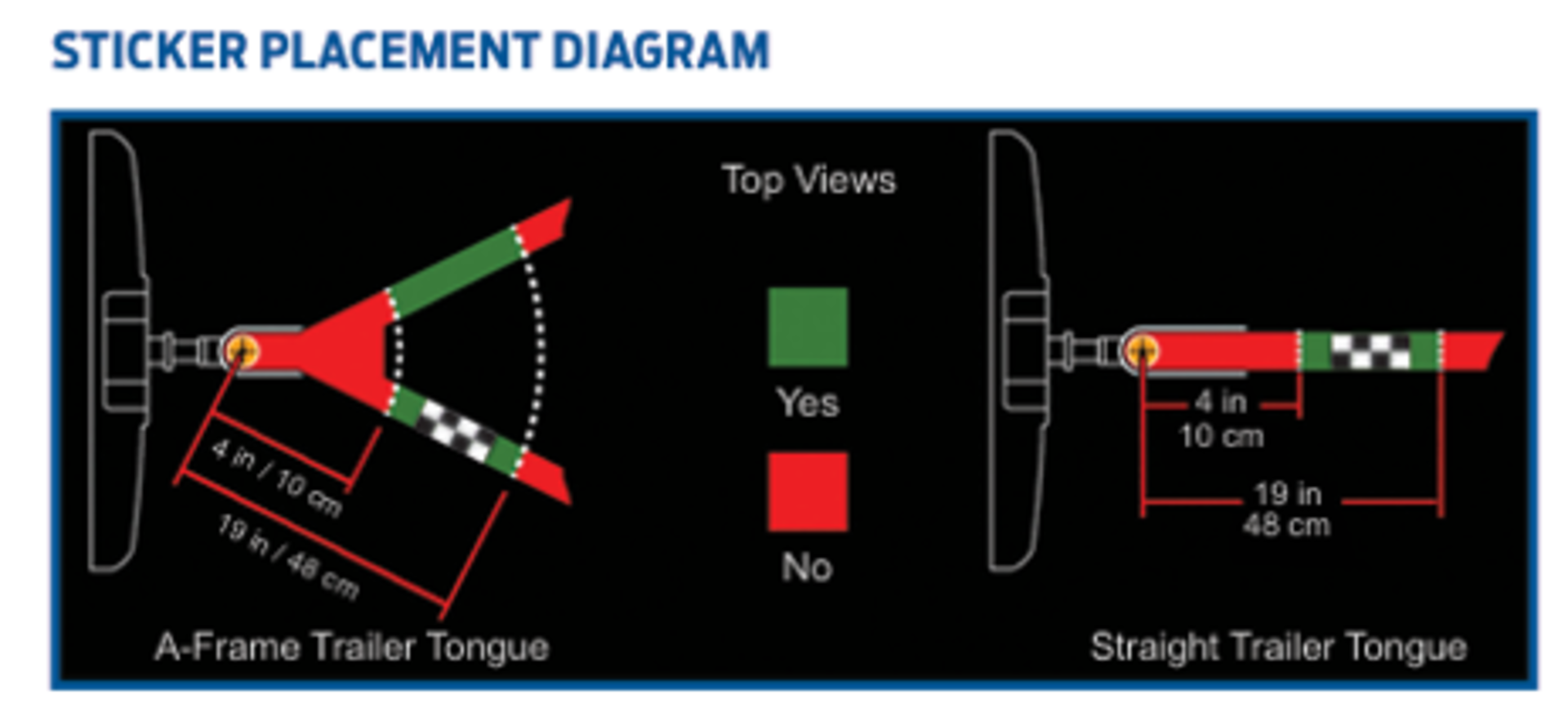
Fig 9
5.
Calibrate the trailer by driving forward. Then
turn left or right roughly at a 90-degree angle. Once it
has been calibrated. Congratulations
you can start to use Ford’s Pro Trailer Backup Assist™ (Fig 10)
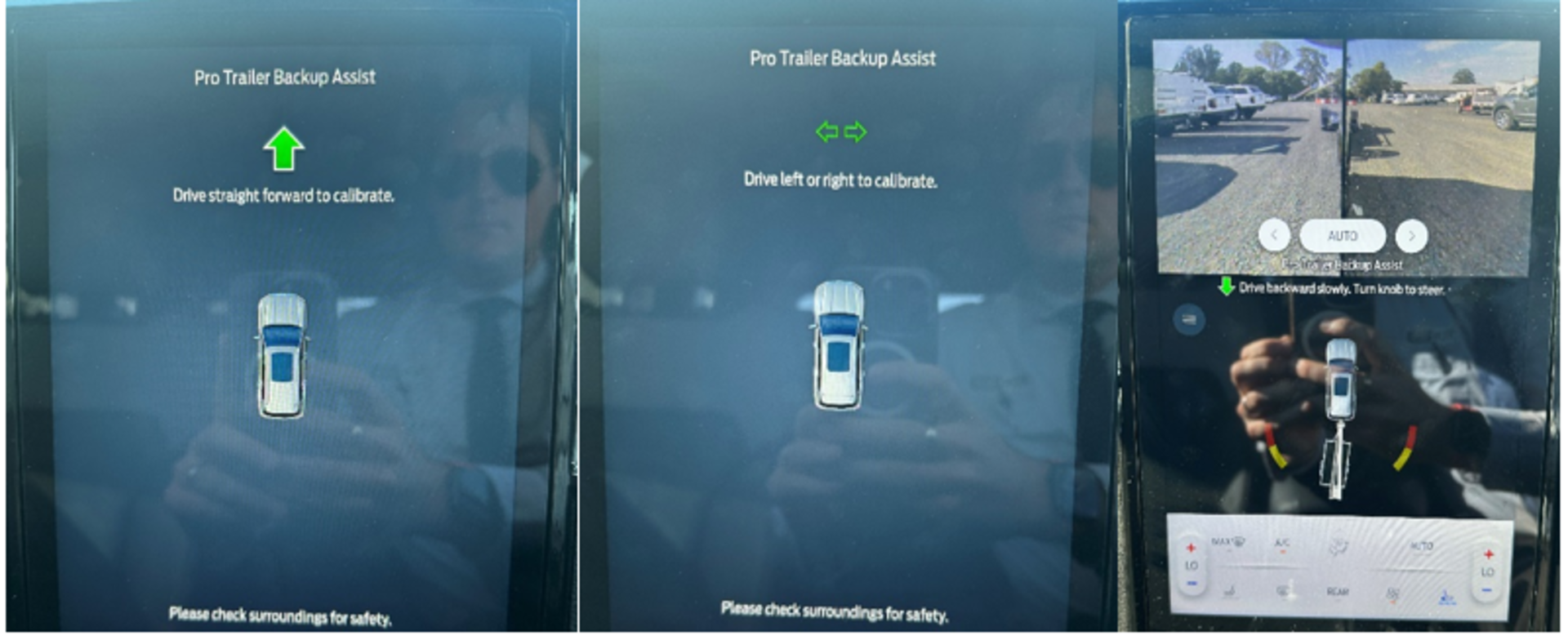
Fig 10
If you’d like to know more or want to try it out on your new Ford. Please come see the friendly team at ELN Ford in Tuggerah. Where they are more than help you with your future purchase and demonstrate this amazing feature.
Written By David Smith